.png)

FitBud
Are you having trouble finding a partner to go exercise with? FitBud is here for you! It is an app designed for individuals to look for their desired workout partners. You could set up your requirements for the partners you desire, such as exercise levels, preferences, locations and etc, and contact with the partners to schedule your workout time, contents.
PROJECT OVERVIEW
Duration: 2 months
Team: 3 members
MY ROLE
UX Research | Data analysis | Wireframes | High-fidelity Design
PROCESS
Competitive Analysis - Contextual Observation - Interview - Data Analysis (Affinity Diagram) - Persona Creation - User Flow - Wireframe - Usability Test - Final Design
CHANLLENGES
-
Incomplete information about partners such as fitness levels, available times, their desired partners
-
Individuals' personalities matter whiling finding the desired partner
-
Personal information is only one side picture, ways to explore whether this person is a good fit should be explored
How we reveal the problem space?


CONTEXTUAL OBSERVATION
We conducted contextual observation at 2 gyms to observe how individuals behave during their workouts and breaks.

INTERVIEW
We then followed up with interviews for 6 gym-goers to probe their needs, concerns and expectation for finding gym partners.
RESULTS
Most of the gym-goers would love to have gym partners due to different reasons such as having fun during breaks, motivating each other, learning skills from their partners, watching out for each other while performing heavy lifts.
Only few people have their gym partners during work-out, the others were alone. While they were not exercising, they were playing mobile phone, listening the music, looking around or the mirror and chatting with people.
However, needs vary according to different individuals. One indicated he doesn't want his partner to be talkative whiling training, another wish the partner to be punctual.
Also, the time schedule, work-out routines, interests appear to be important factors as considering finding a fit partner.
Why we chose this idea?
We have a vague view of our idea. Before initiating this design process, we did a competitive analysis of several existed commercial products (From left to right: FitMatch, Fitmatch, 5F, Workout Buddies, NavaFit) to explore their common features and differences. Then we summarized the challenges/chances as our design base.


COMMON FEATURES
-
personal information such as gender, height, weight, photo, and age are required to sign up
-
Specific information such as fitness interests, goals, location, and available time are required for building up the profile
-
Information about partners name, photo, fitness activities, location
DIFFERENCES
-
Post images or texts to find partners
-
Offer fitness meal plans and fitness videos for instructions.
-
Search for partners based on fitness interests, activities or name.
-
Chatting functions
CHANLLENGES
-
Incomplete information about partners such as fitness levels, available times, their desired partners
-
Individuals' personalities matter whiling finding the desired partner
-
Personal information is only one side picture, ways to explore whether this person is a good fit should be explored
How we deal with the data?
Having large amounts of data we collected, we started to brainstorm ideas using affinity diagram to analyze based on the interview and observation results. The RESULTS were below:

FILTER
-
The system could match users with someone who shares the same demographics and exercise preference
-
The users could set the filter for system to find their desired gym buddy based on what they expect for.

SCHEDULES
-
We Users need to have the same time availability
-
A timetable for partners to select workout times
-
A chat box to discuss more details about time and schedule an exact time for hanging out

GOAL
-
Select partners with the same goal or at the same exercise level.
-
Having fun
-
Finding experienced partners for instructions.
User Flows
We now have a big picture of what we are going to do, but the user flow could help us clear the whole process that our users would go through while interact with the products.
.png)
Wireframes


REGISTRATION/LOG IN
For user who is new to this app, they need to register before start. They could either chose start with their user name and password or Facebook/Google account. For returned users, they could click start right away.


SET FILTER FOR FINDING DESIRED BUDDY
Users also need to set filters for system finding their desired fit buddies. They could click the search, and the system would display the results. If the users are not satisfied with the results, they could go back re-set the filter until the results reach their expectations.


CREATE PERSONAL ACCOUNT
This step is only for user who is new, the system need their information to better match with their desired partners. The profile include demographics, exercise details and own photos.


CONTACT FIT BUDDIES
Users could re-set the filters or modified their profile to find their perfect match. Once they review the results, they could start to contact with the other users to discuss details about when they want to work-out and how they exercise.
USABILITY TEST
We conducted usability tests with 4 participants based on 4 tasks:
-
Registration
-
Find desired fit buddy
-
Modify personal information and requirements of fit buddies
-
Contact your fit buddy.
TAKEAWAYS
-
Participants were confused about setting personal account and setting requirements for their desired gym buddy due.
-
They were worried about personal information being exposed too much on social media
-
Would be nice if the system has a reminder for scheduled workout date.
FINAL DESIGN


LOG IN & SIGN UP
For first time-users, they may need to take some time to sign up for their account before they start this journey. They could either create username for registration or they could signup with their existed Facebook/Google/Twitter account.
%20-%20inpu.png)
png-.png)
%20-%20inpu.png)
CREAT ACCOUNT
The purpose of account creation is to collect information such as demographics, exercise details for the system to match the users with other potential fitbuds.
Since users need to answer quite bit questions to get start and I notice they might drop-off in the middle of it. In order to keep them with the steps and understand why they need to answer the questions. I applied progress bars and explanations for each step. Also to distinguish the process of account creation and set requirements for their desired fitness buddies.
%20-%20input_2x-iPhone%20X_pn.png)
_2x-iPhone%20X.png)
SET REQUIREMENTS FOR FITBUD
RANDOMIZED MODE:
After finishing the account creation, the system would directly take user to the home page, where displays some fitbud's information for users to review. Those fitbuds shares the same demographics or exercise details with the user which is based on user's account information.
For first time users, we also offered explanation of what is randomized/customized. Once they click the "customized", the texts will no longer be displayed.
CUSTOMIZED MODE:
Customized mode is based on user's requirements for their desired fitbud. Hence, they have to set their requirements first for system finding matchers.


CHAT & ADD FRIENDS
Due to privacy issues, the system will only display user's partial information (name, exercise level, exercise, ranks, personality ranks, exercise experience ranks).. The ranks, personality/exercise experience are rated by other users who have worked with this person.
If you're interested in them, you could click the panel and start to chat for more information or schedule a workout time.

SCHEDULE TIME FOR WORKOUT
The system could automatically identify date been mentioned during your chat and generate the time panel for you to chose. Once you chose the panel for the workout time. It will display on your home page as reminder.
NEXT STEP
PRIVACY
Privacy has always been an issue for social media. Since the last time our usability test results brought about privacy issues, we adjusted users' information displayed on board to protect their personal information. We want to know whether users feel safe to display those information of them and whether is it enough for them to make decision?
CUSTOMIZED MODE
Customized mode is the heart of our product. It helps users to find their desired fitness buddies. In order to reach this goal, information should be sufficient enough for them to make decision. We want to know what other information users care but we haven't included when they pick their gym buddy.
More case studies


Converse
Optimizing Converse custom shoppers' experience, enhancing overall product list page(PLP) and product detail page (PDP) features.
UX/UI Design, User Research, Front-end Development
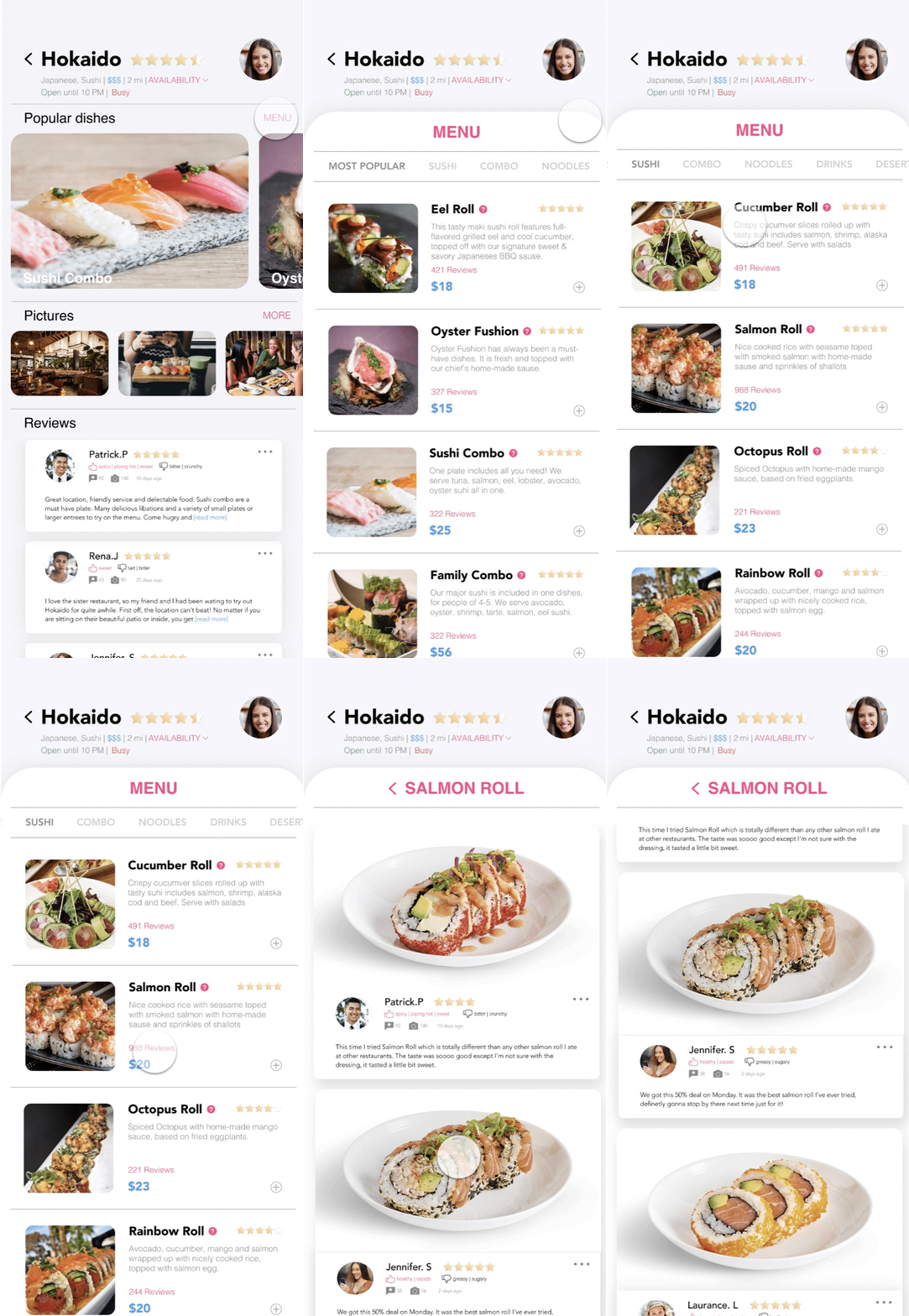
GoEat
Designed an app streamlines dine-in experience: find a restaurant meet your expectation, decrease wait time in the restaurant.
UX/UI Design, User Research, Prototyping


Children's Museum Accessibility
Conducted research across 309 native children's museums to uncover missing accessibility information, and make actionable recommendations
Conducted research across 309 native children's museums to uncover missing accessibility information, and make actionable recommendations
User Research, Data Analysis


Fitness Wearable Device
UX Research: Improve auditory feedbacks from wearable device
2017.8
CHI2018
CHI2018

CHI2018
Fitness Wearable Device
Conducted user research to improve auditory feedbacks from wearable device, made actionable design recommendations.
UX Research, Data Analysis


Children's Museum Indianapolis
Conducted an accessibility study aimed at improving museum experiences for adults and children with sensory sensitivities.
UX/UI Design, UX Research, Prototyping